How it works
Get your photos from Seesaw
We'll walk you through your class journal export step by step. These files can be large, so desktop works best.
Upload it here
Drop your zip file. We'll find every photo and pull out the teacher's caption for each one.
Preview what we found
See what's moving before anything is sent.
Send to Google Photos
Connect your Google account and we'll upload everything into a new album. You'll get an email when it's done.
Your photos, your control
Deleted within minutes
Your zip file is deleted from our servers as soon as your photos finish uploading to Google Photos, usually within minutes. We don't keep copies.
Minimal permissions
We can only add new photos. We can't see, change, or delete your existing library.
Processed automatically
Your photos are processed automatically. No one on our team looks at them.
Revoke anytime
Disconnect Little Archive from your Google account whenever you want from your Google settings.
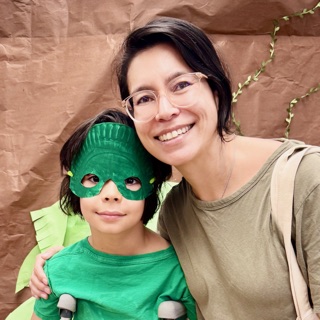
Why I built this
When my preschooler's Seesaw export came back as a zip, I discovered a folder of photos and a bunch of HTML pages with captions. It was all in there, but not in a way I could use.
I built Little Archive to fix that. Our photos and captions are together, and Google Photos lets me print and share them with family. Easy.
— Tash Wong, Mom of 3
Common questions
Why can't I just upload my zip file to Google Photos directly?
You can upload the photos, but Google Photos doesn't read Seesaw's caption format, so every teacher caption gets lost. Little Archive extracts the captions and embeds them into each photo's metadata before uploading, so they stay attached permanently.
How do I download my child's photos from Seesaw?
Open app.seesaw.me in your browser, not the Seesaw app. Tap your name, then the gear icon, then Account Settings, then Download Journal Archives. Seesaw will email you a download link when it's ready. It can take a few minutes for larger journals.
What Google permissions do you need?
Just one: permission to add photos to your library. We can't see, edit, or delete anything that's already there. You can revoke access from your Google account settings at any time.
What happens to my zip file?
It's deleted from our servers as soon as your photos finish uploading to Google Photos, usually within minutes. We don't keep copies of your photos, captions, or anything else from the export.
Why Google Photos?
Google Photos is where most families already store and share memories, and it makes it easy to create photo books, share albums with family, and search by date or keyword. Your migrated photos show up right alongside everything else.
How long does the migration take?
Usually 15–30 minutes for a typical journal, though larger archives can take longer. You can close the tab after you start. We'll email you when everything is in Google Photos.
Can I migrate more than one child's journal?
Yes, run Little Archive once per Seesaw journal export. Start a new migration after the first one completes.
What happens if the migration fails?
If none of your photos make it across, you'll be refunded automatically. If some photos transfer and others fail, email support@littlearchive.app and we'll sort it out with you. Usually a comped retry.